Kia ora
Recently, we’ve received queries regarding the systematic download of SNOMED CT Reference Sets (RefSets), specifically focusing on acquiring both codes and descriptions. We’d like to offer insights and clarify the solutions available to address these needs effectively.
Accessing RefSets: Two Approaches
1. Direct Export from IHTSDO Refset Tool
For those in need of direct and manual access to RefSets, the IHTSDO Refset Tool offers a straightforward solution. It’s essential to note that your SNOMED Affiliate/MLDS login credentials provide access to this tool. This means that, as long as you’re a registered affiliate with access rights, you can download the descriptions/preferred terms alongside the codes directly from the tool. This method is particularly useful for ad-hoc needs or smaller datasets.
For instance, if you are interested at New Zealand emergency care procedure reference set (321000210102)
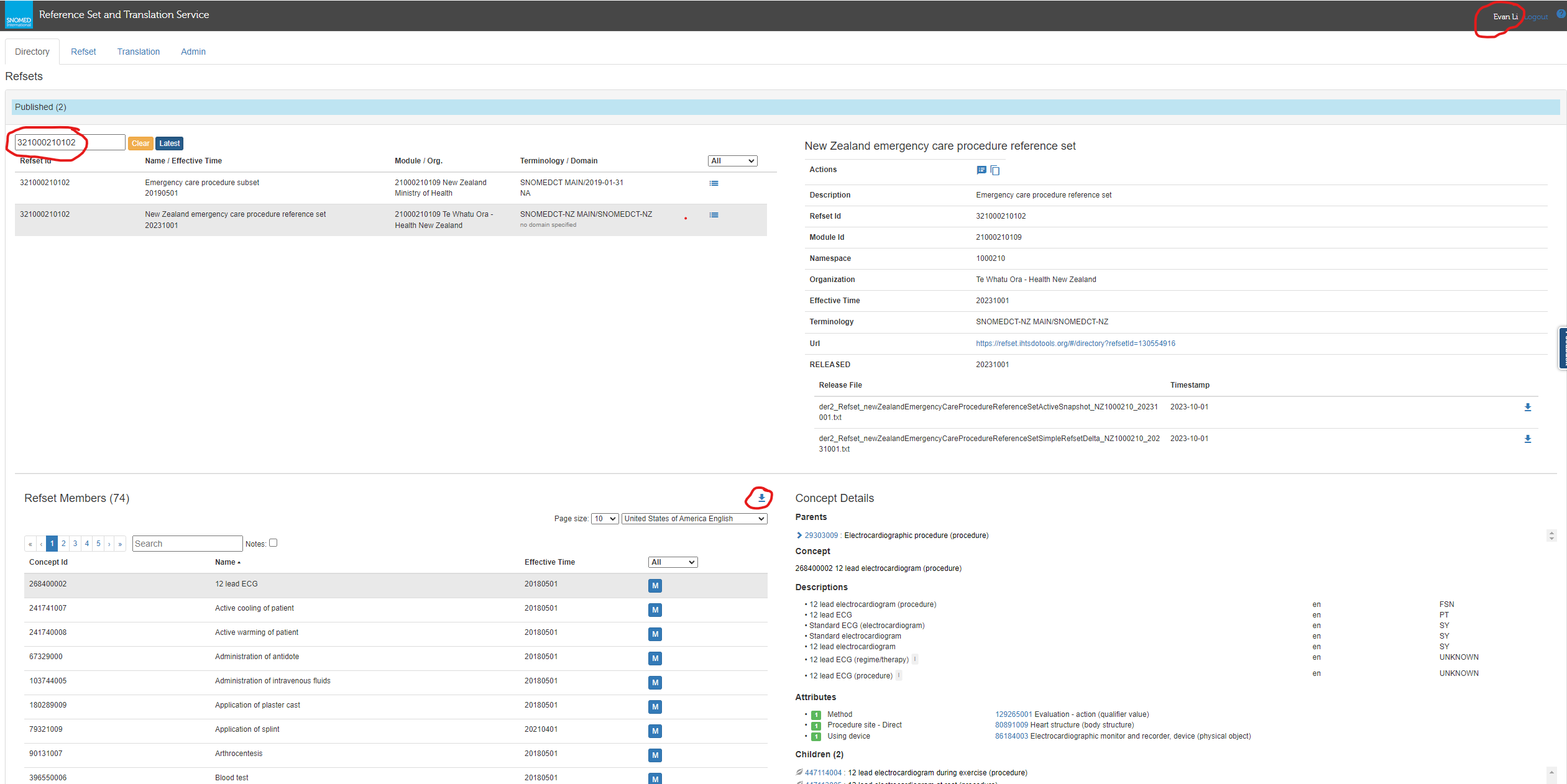
This approach requires manual interaction with the web interface, but it’s a reliable way to obtain RefSet information quickly.
2. Automated Access via NZHTS Query
For those seeking a more automated or programmatic method, NZHTS provides a robust solution through our API. By crafting a query to the NZHTS API to expand the RefSet, you receive a JSON response that includes both codes and their associated descriptions/preferred terms. This method is scalable and particularly suited for integrating SNOMED CT RefSet data into automated workflows or applications.
Here’s how you can structure your query:
For instance, if you are interested at New Zealand emergency care procedure reference set (321000210102)
JSON response:
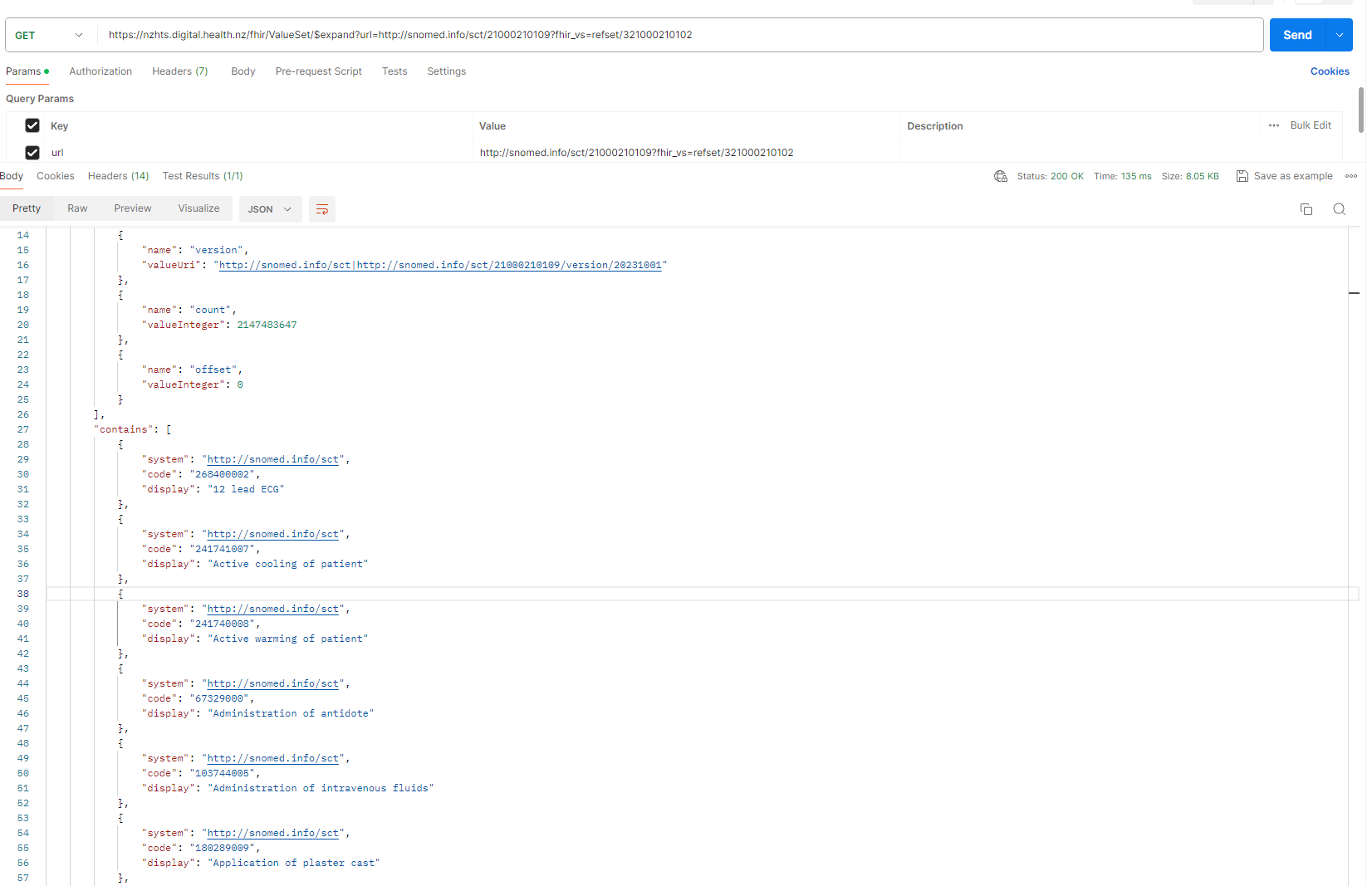
This automated access method is designed to streamline your work and ensure you can easily incorporate comprehensive RefSet data into your projects.
Hope this insight proves useful to you in your work with SNOMED CT. Should you have any questions, or if there’s a specific aspect of SNOMED CT you’re keen to explore further, feel free to engage in the discussion here.
Warm regards

