One of the resolutions at the CiLN meeting in Christchurch was that I look to improving everyone’s control of their notifications and/or emails from Discourse. I warned everyone that it might get messy; well, it’s mess time.
You will also receive emails for new topics in #nz-network, when people mention (@you), and replies directed to you.
Activity Summaries are turned OFF, as they don’t work properly if you are receiving emails already
These are the new ‘default’ settings, and represent a balance between keeping people connected via email and volume, and I expect that about 2/3 of us will be happy with this.
For the remaining 1/3, you will either want more or less emails. It is easy to do this:
I hope that this doesn’t cause too much pain; let me know if you have any issues by responding to this post. Also, I’d welcome any feedback or offers of help to run the Forum!
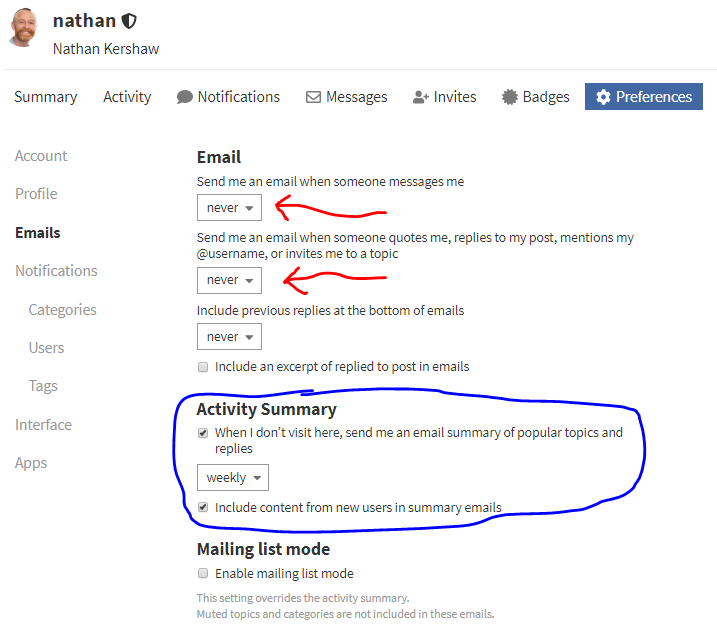
To minimise emails from Discourse (what I do myself):
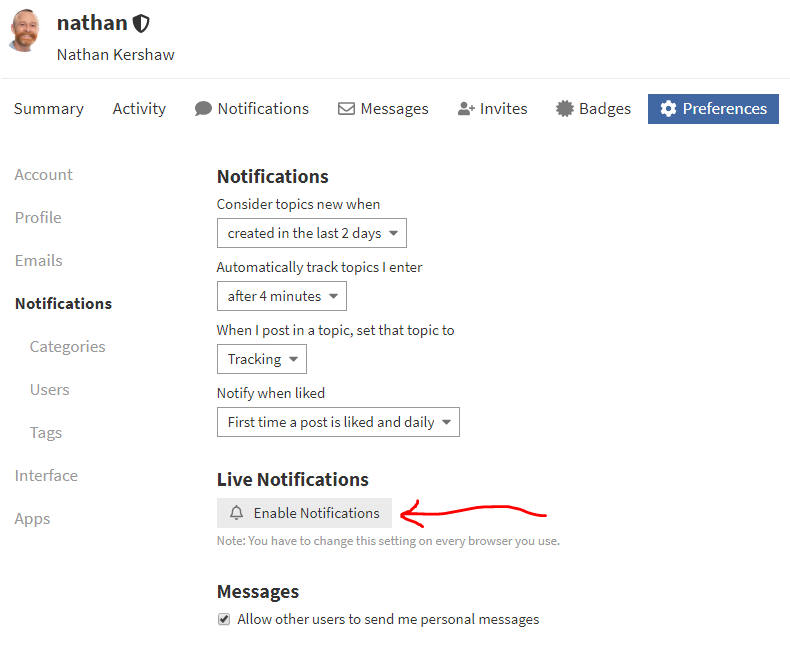
First, you need a way to make sure you get notifications (especially Personal Messages) that is workable for you. While you can enable notifications in your browser if you use your PC for this, many find the mobile app more helpful:
Second, change the Email settings (under Settings / Preferences / Emails) to halt the emails; you may wish to keep them for messages. At the same time, I suggest that you turn on the Activity Summary with a frequency that works for you. This can also act as an alternative way to be notified of messages (albeit with a delay):
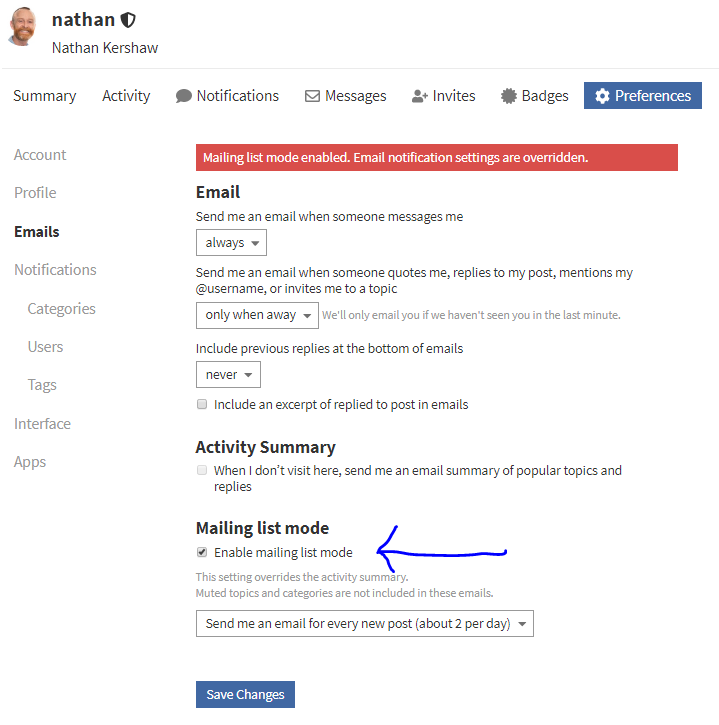
To INCREASE the amount of emails that you get (if you want to interact with #nz-network via email primarily) then you need to activate Mailing List Mode via Settings / Preferences / Email:
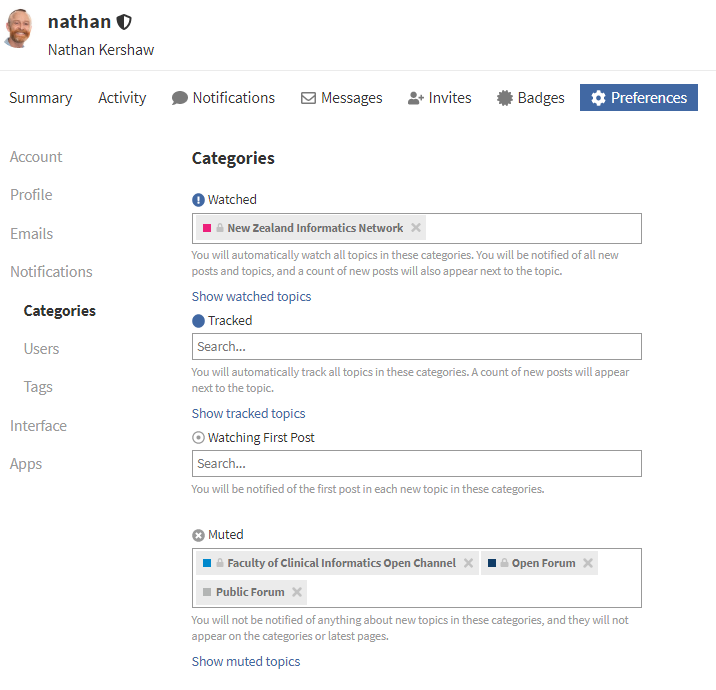
While UK content is accessible via Search, you may wish to receive and easily see the UK content. You do this by ‘Unmuting’ the busy UK forums in the Settings / Preferences / Notifications / Categories: