As part of a series of posts I’ve been making to help our now 5000-strong community of users get the most from the Digital Health Networks, I thought next up I’d explain how to control your Discourse notifications.
Key Point:
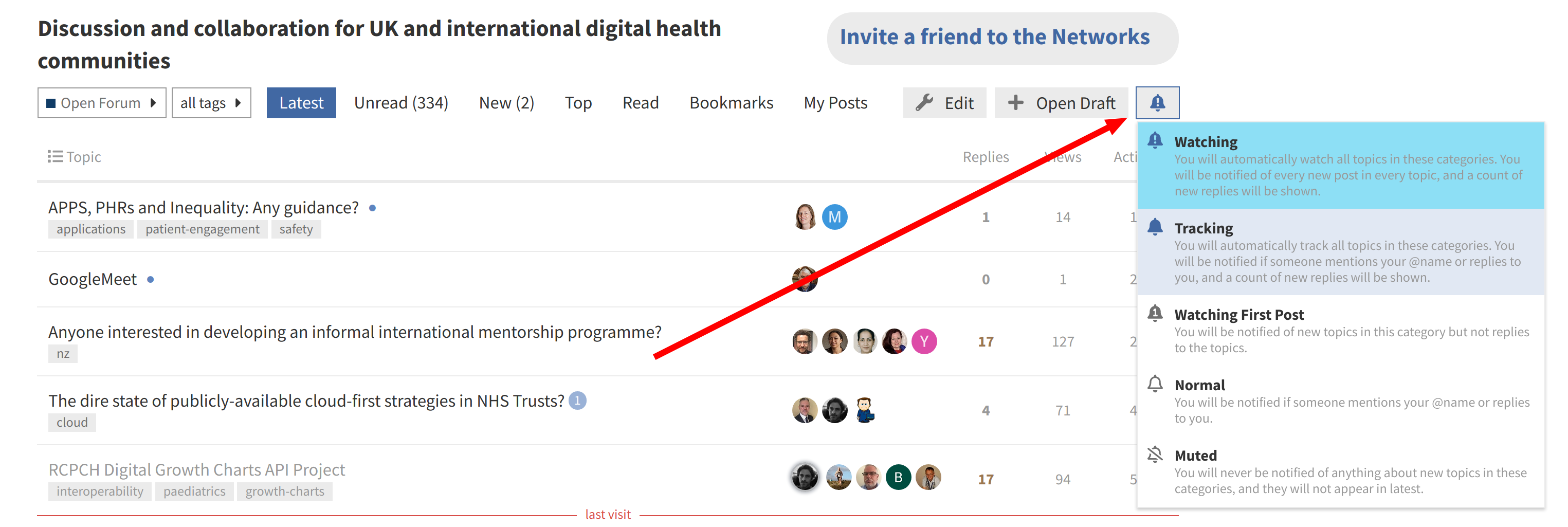
If you want to make sure you don’t miss posts in your areas of interest, set your Notification Levels to ‘Watching’ for each of the Categories you’re interested in.
Category Notification Level
- You can set notification levels for the Categories you’re most interested in:
Topics Notification Level
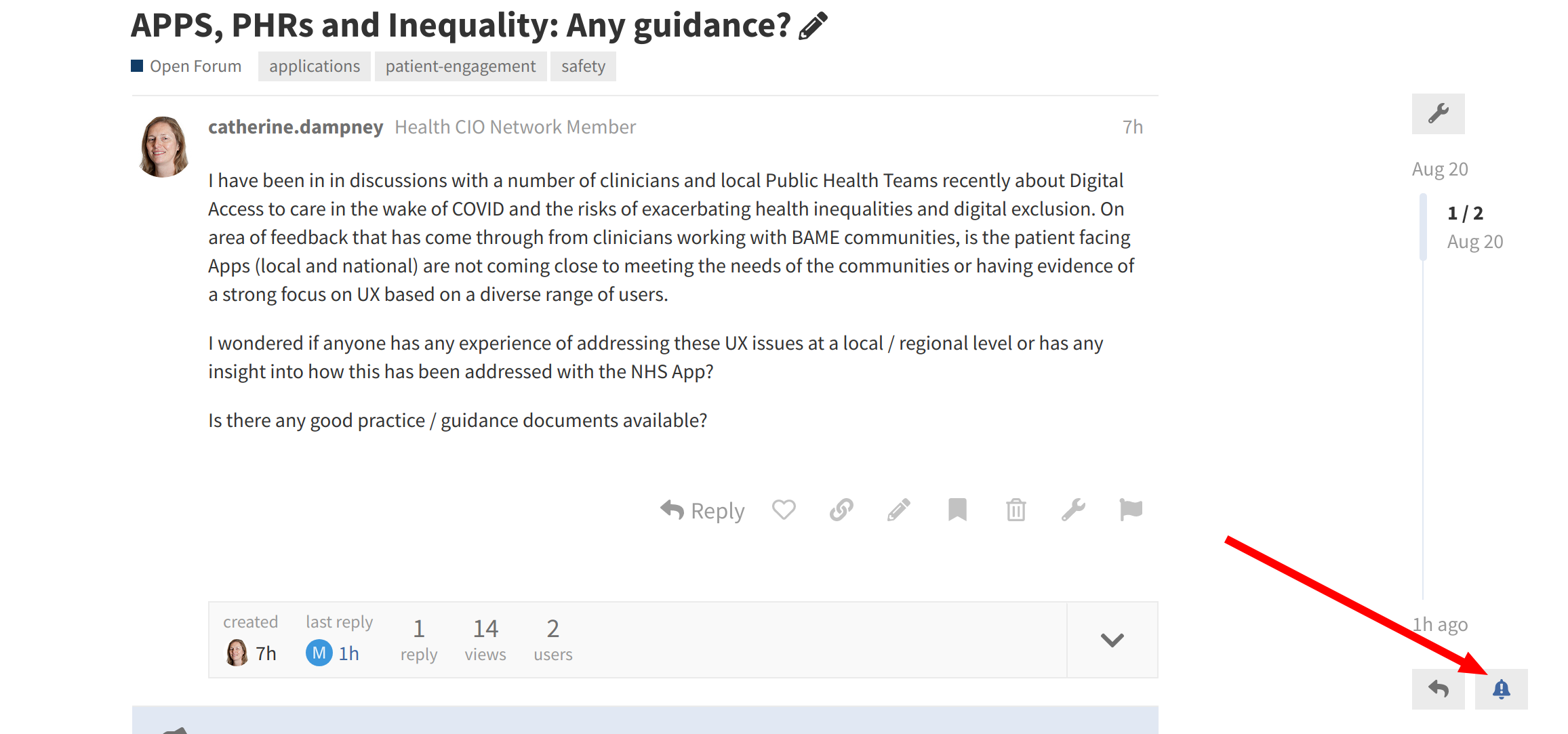
- You can also set the notification level on a per-Topic basis, so if you want to opt out of notifications for a particular topic without opting out of the whole Category, this is how:
Managing all your Notification preferences in one place
- As well as changing these settings right there in the Category or Topic of interest, you can also see all of your current settings by going to https://ehealthforum.nz/my/preferences/categories
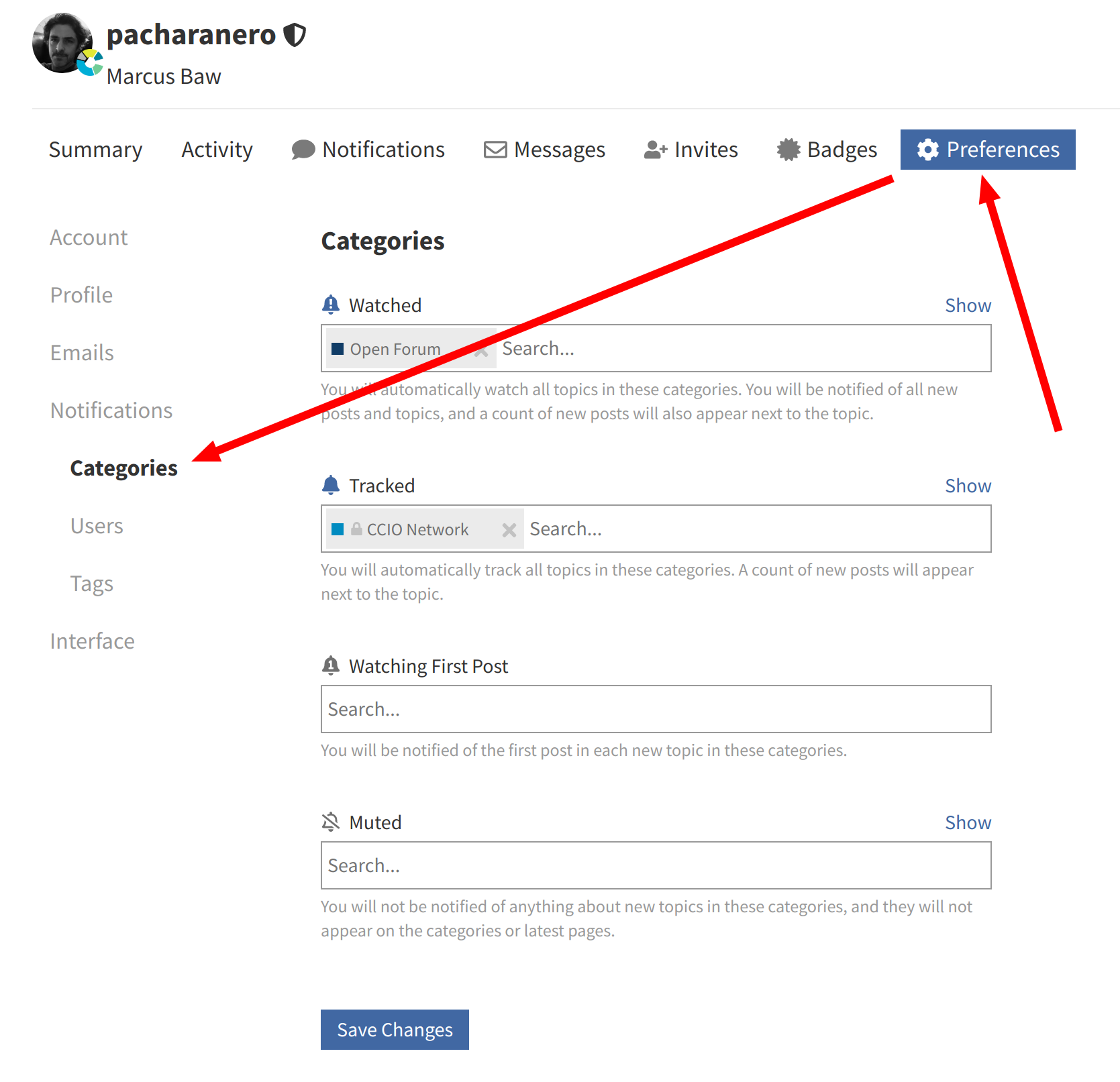
- Don’t forget to hit ‘Save Changes’ after making any changes.