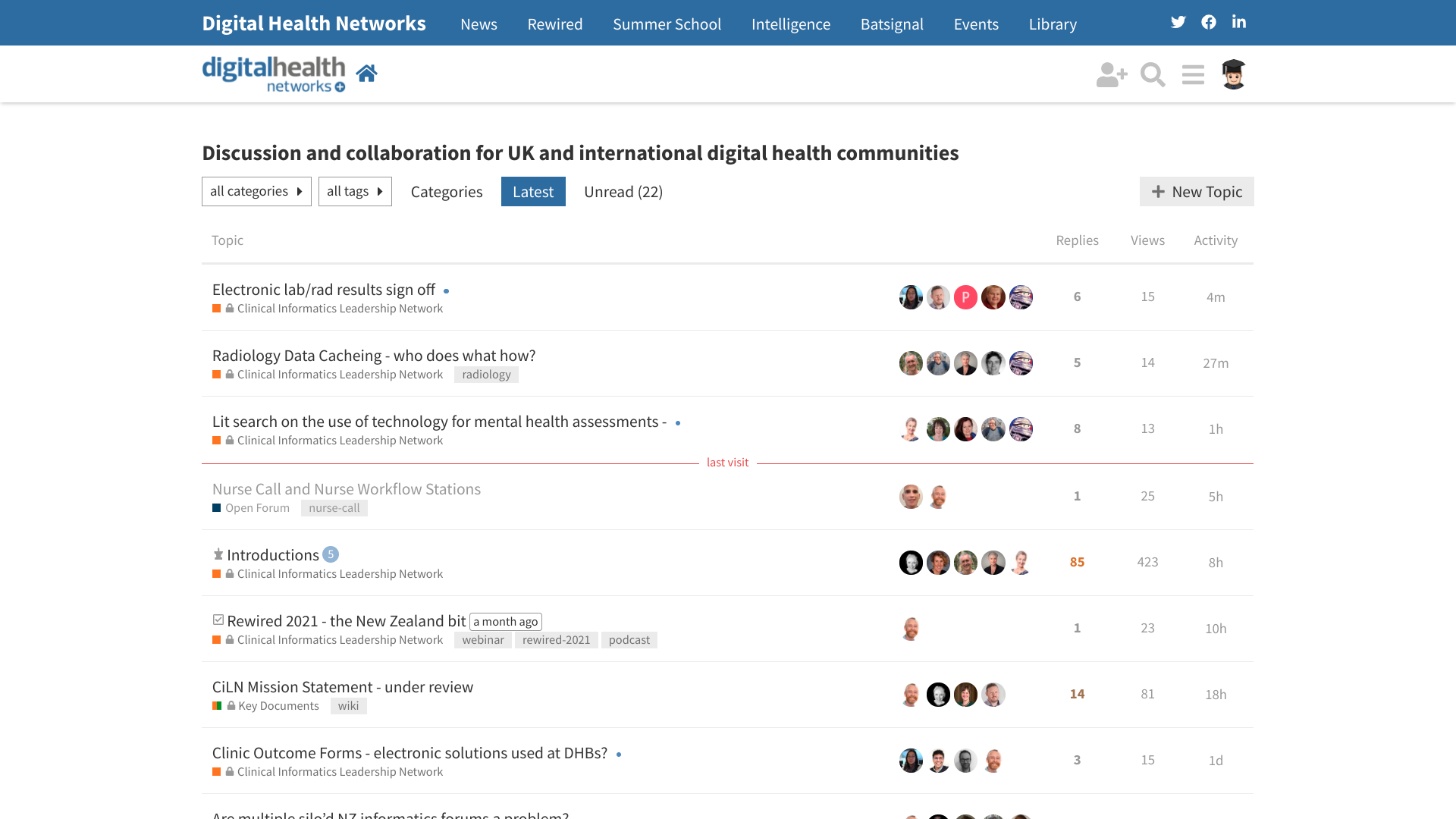
If you are using the Digital Health Networks on your desktop, you will have noticed that the appearance of the ‘homepage’ has changed somewhat. We’d love your thoughts and suggestions. It remains the same on mobile.
You now get an overview of the various Categories that are visible to you. The other list (on the right) is the same as what you used to see, but is a bit more condensed. At the bottom of the Categories list is a button which will reveal content that is normally concealed should you wish to explore a bit more.
Why has this been done?
This has been done in response to feedback in the DHN Community Survey (the results are coming!) that people find it difficult to navigate the Networks, and is a preliminary step in an ongoing process to make interacting with the Networks easier. The categories are getting a significant over-haul and tidy up as part of this.
If you don’t like this new view, then you can either
select the button to flick back to what you are used to immediately
Thanks Dermot. Others have said that to me directly as well. At the moment, this seems to be the most appropriate view available ‘out of the box’. But we can tweak it from here. Will have a play with the layouts and the CSS over the next few weeks to see if we can bring the two sides a bit more in proportion.
Have just inserted this CSS which shrinks them from 150px high to 100px.
.categories-list .category .category-logo.aspect-image {
    // styles images category side of category+latest page
    --max-height: 100px;
}
To further tighten them up, there is scope to reduce the amount of text in the first paragraph of each category description (which is displayed) so that they play nicely in the gap available.
I like the clean-ness of the new look but would agree with the above comments. On desktop I only see two tiles on the left the rest are muted. As for the list on the right, its quite a long list, which is great because it means people are posting and replying, however, as @dermot noted above, people generally don’t scroll down so there’s a good chance they won’t see posts further down. Could it maybe be a rotating part, you know, automatically slowly rotating the posts? just a thought.
Interesting thought - I like the idea of shrinking the Categories side. We could go all the way and use a sidebar instead. Will throw it around with the @dhn-community-dev-team. One thing that I need to do is formally report on the community survey 2021 so we can accurately gauge how much of a problem our good people have navigating the networks.
However, your feedback here is extremely valuable - thank you.
Regarding visibility of the categories, they are available in 2 subtle ways already - in the ‘Hamburger’ menu () top right and via the Categories tab. They need ongoing work to keep tidy and organised (which we have neglected somewhat over the last few years).
My intent with the new view was to lift their visibility as an aid to understanding the structure of the site as it dynamically evolves. But it could be that isn’t really necessary.
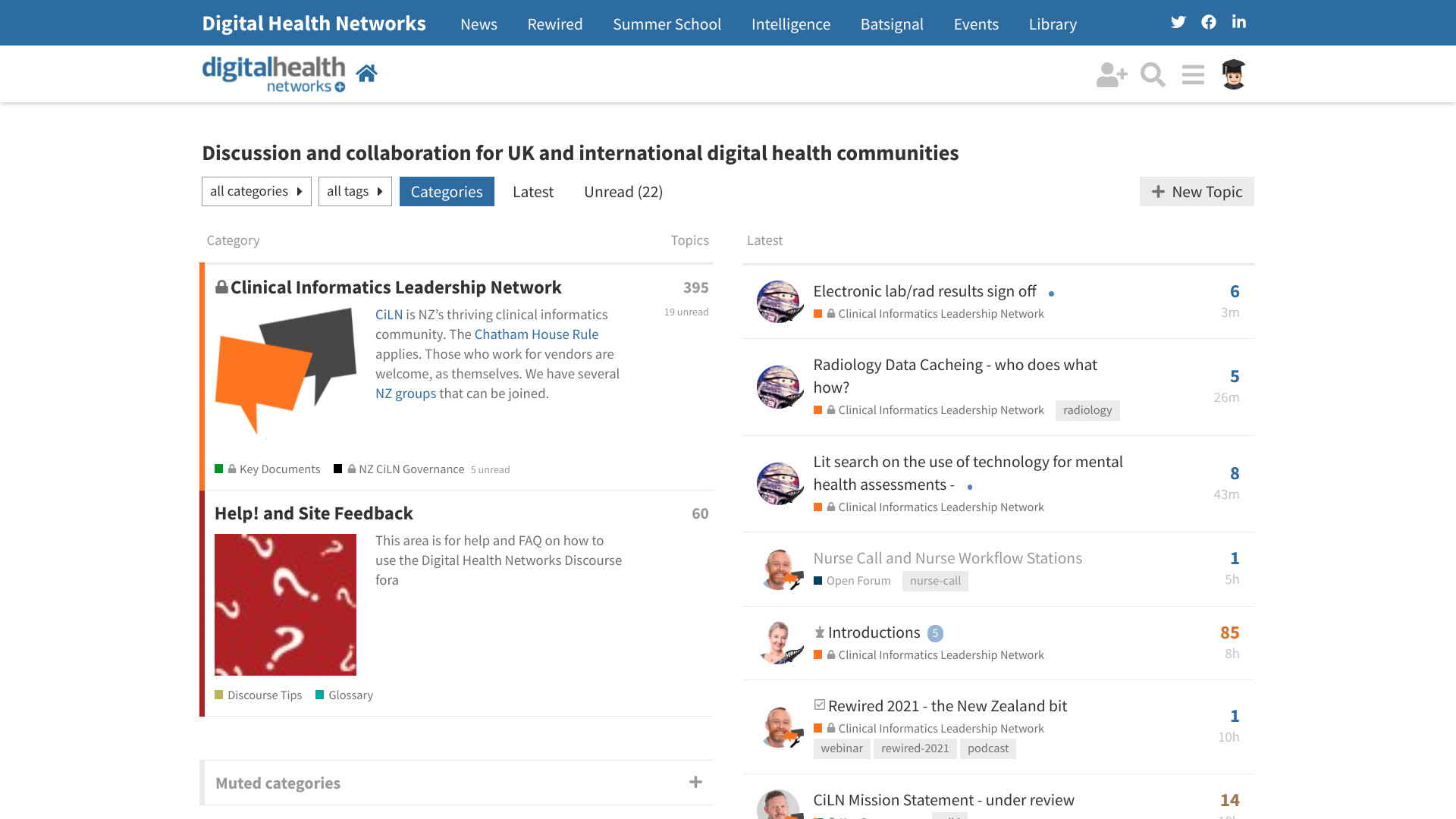
 button which will reveal content that is normally concealed should you wish to explore a bit more.
 button to flick back to what you are used to immediately

 ) top right and via the